 How-to
Is Electrostatic Disinfection Safe for Electronics?
Table of Contents
- How Electrostatic Disinfection Works and Why Electronics Matter
- Electrostatic Sprayer Safety Precautions for Office Equipment
- Disinfecting Electronics Safely: Pre-Application Steps
- Electrostatic Sprayer Disinfectant Compatibility with Common Office Devices
- Disinfectant Contact Time for Electronics: Dwell Time and Exposure
- Real-World Implementation: Office and Medical Facility Protocols
- Decision Framework: When to Use Electrostatic Disinfection on Electronics
- Frequently Asked Questions
Last Updated: October 10, 2026
How Electrostatic Disinfection Works and Why Electronics Matter
Is electrostatic disinfection safe for electronics? The short answer is: it depends on preparation, equipment compatibility, and the disinfectant used.
At Rangel Janitorial, we've spent over 30 years managing disinfection protocols for corporate offices, medical facilities, and industrial spaces.
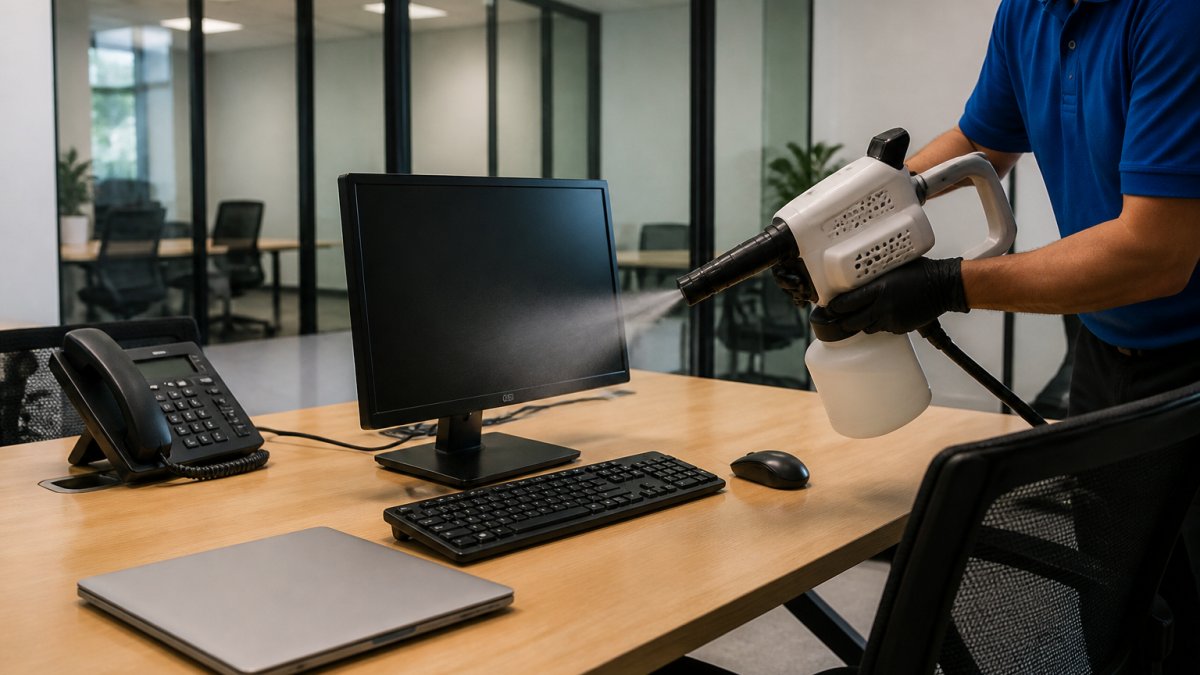
The electrostatic sprayer creates a uniform coating across surfaces by using electrical charge to attract disinfectant particles. This charge-based approach delivers superior coverage compared to manual wiping or traditional spraying.
Most facility managers ask the same question: is electrostatic disinfection safe for electronics like computers, printers, phones, and other office equipment? The answer is yes, but only if you follow specific pre-application steps and understand which disinfectants are safe for electronics.
Electrostatic Sprayer Safety Precautions for Office Equipment
Before deploying an electrostatic sprayer in any workspace with electronics, several safety precautions must be in place. The charged droplets from an electrostatic disinfection system can penetrate openings in equipment that traditional spraying cannot reach. This penetration is both an advantage and a risk.
Key safety measures include:
- Turn off and unplug all electronics before spraying begins
- Remove battery-powered devices from the treatment area
- Never spray while equipment is running or plugged in
- Ensure adequate ventilation to prevent disinfectant mist accumulation
- Use personal protective equipment (PPE) for staff applying the disinfectant
- Allow proper dwell time for the disinfectant to work before reactivating equipment
- Verify that the disinfectant label permits use on electronics
The contact time for electrostatic disinfection varies by product, but most EPA-registered disinfectants require 1-10 minutes of dwell time on surfaces. During this window, the charged droplets settle and the chemical works to reduce pathogens.
One critical detail: disinfectant residue left on circuit boards, connectors, or internal components can cause corrosion or short circuits. This is why pre-application preparation is non-negotiable. Many facility managers underestimate how thoroughly disinfectant mist can penetrate keyboard crevices, monitor vents, and cable ports.
Disinfecting Electronics Safely: Pre-Application Steps
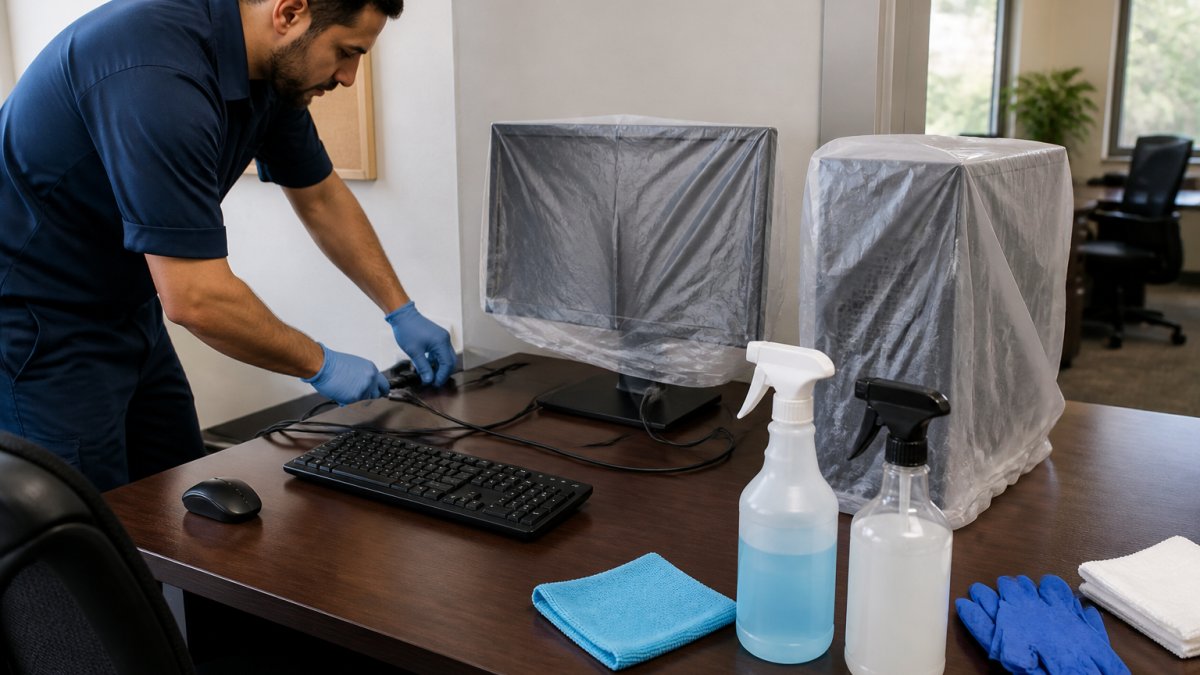
The most important step happens before the sprayer is even activated. Pre-application preparation determines whether electrostatic disinfection enhances your facility's hygiene or damages expensive equipment.
Essential pre-application steps:
- Power down all devices: Shut down computers, printers, copiers, and phones at least 15 minutes before spraying. This allows capacitors to discharge and reduces electrical hazards.
- Unplug from outlets: Pulling the power cord is mandatory, not optional. Electrostatic sprayers create charged mist that can interact with powered equipment.
- Cover sensitive equipment: Printers, servers, and high-touch office machines should be covered with plastic sheeting or protective film. Label each covered item so staff knows not to remove coverings until the disinfection cycle is complete.
- Remove loose items: Take phones, keyboards, mice, and headsets out of the spraying area. These items can be wiped down separately with approved disinfectant-soaked cloths.
- Seal cable ports: If possible, cover USB ports, charging ports, and cable connections with tape or protective caps. This prevents charged droplets from entering internal pathways.
- Document the preparation: Create a checklist for each area being treated. Note which equipment was unplugged, what was covered, and when the process began.
Many facility managers skip these steps to save time. That's a costly mistake. A single damaged computer or printer can cost more than dozens of disinfection treatments.
The disinfectant contact time must also be observed strictly. Even after the spraying stops, the charged droplets continue to settle for several minutes. Reactivating equipment too early defeats the disinfection purpose and may trap moisture inside components.
Electrostatic Sprayer Disinfectant Compatibility with Common Office Devices
Not every EPA-registered disinfectant is safe for use around electronics. The label on the disinfectant product will specify approved surfaces. This is where many facilities run into problems: they purchase a disinfectant based on its pathogen-reduction claims without checking whether it's compatible with their equipment.
Common office electronics and disinfectant compatibility:
| Device Type | Safe for Electrostatic Disinfection? | Key Concern | Recommended Approach |
|---|---|---|---|
| Desktop computers | Only if unplugged and covered | Moisture in vents and ports | Cover CPU tower; spray surrounding surfaces |
| Keyboards and mice | Yes, if removed and treated separately | Moisture between keys | Wipe with disinfectant-soaked cloth instead of spraying |
| Monitors and screens | Yes, but with caution | Liquid damage to display panel | Spray from distance; allow to air dry completely |
| Office phones | Yes, if unplugged first | Moisture in speaker and microphone | Remove from desk; treat separately or cover |
| Printers and copiers | Only if covered | Toner cartridge contamination | Cover completely; do not spray |
| Laptops and tablets | No; remove from area | High moisture sensitivity | Relocate to separate, uncontaminated space |
| Routers and networking equipment | Only if unplugged and covered | Electrical hazard and moisture damage | Cover with plastic sheeting |
The most common mistake is applying electrostatic disinfection to devices while they're still plugged in, even if they're powered down. Residual electrical charge in components can interact with the charged mist. This is especially true for networked equipment like routers and printers that draw power even in standby mode.
Disinfectant labels typically specify which surfaces are safe. Look for language like "safe for use on electronics" or "approved for hard surfaces including computer equipment." If the label doesn't explicitly mention electronics, assume the disinfectant is not compatible.
Disinfectant Contact Time for Electronics: Dwell Time and Exposure
The dwell time for electrostatic disinfection is the period during which the disinfectant must remain on a surface to achieve pathogen reduction. This contact time varies by disinfectant product, typically ranging from 1 to 10 minutes.
Most EPA-registered disinfectants used in commercial settings require between 3 and 10 minutes of contact time. During this window, the charged droplets settle onto surfaces and the chemical compound begins breaking down viruses, bacteria, and other pathogens. Interrupting this process before the contact time is complete reduces disinfection efficacy.
Contact time considerations for electronics:
- Shorter dwell times (1-3 minutes) are common for disinfectants designed for high-touch surfaces. These are ideal for office environments where equipment downtime must be minimized.
- Longer dwell times (5-10 minutes) are typical for disinfectants targeting healthcare-associated infections. Medical facilities often accept longer equipment downtime in exchange for higher pathogen reduction.
- Temperature and humidity affect how quickly disinfectant works. Cooler temperatures may extend dwell time; warmer, more humid environments may shorten it slightly.
- The disinfectant label always specifies the exact contact time. This is not a guideline; it's a requirement for the product to deliver its claimed efficacy.
For offices, this means planning your disinfection schedule around equipment availability.
Many facilities underestimate this impact and rush the process. Staff reactivate equipment before the contact time is complete, reducing disinfection effectiveness. Others leave equipment offline longer than necessary, creating frustration among employees who can't access their workstations.
Real-World Implementation: Office and Medical Facility Protocols
Successful implementation of electrostatic disinfection in offices and medical facilities requires a structured protocol that accounts for equipment sensitivity, staff training, and occupant safety. This is where the difference between a disinfection method and a disinfection program becomes clear.
A typical office implementation protocol includes:
- Pre-treatment notification: Alert all building occupants 24-48 hours before treatment. Specify which areas will be treated, when, and how long equipment will be offline.
- Equipment inventory: Create a room-by-room list of all electronics that must be unplugged and covered. This prevents overlooked devices and ensures consistent preparation.
- Staff training: Ensure your janitorial team understands which disinfectants are safe for electronics and how to properly cover equipment. A single untrained employee can cause thousands in equipment damage.
- Ventilation setup: Open windows and activate HVAC systems to ensure adequate air exchange. This prevents disinfectant mist from accumulating and reduces inhalation exposure for staff and occupants.
- Re-entry procedures: Establish a waiting period before occupants can return to treated areas. Most facilities wait 30 minutes to 1 hour after spraying is complete, depending on ventilation and disinfectant type.
- Post-treatment verification: Walk through treated areas to confirm equipment is still covered, no pooling of disinfectant has occurred, and surfaces have dried completely before equipment is reactivated.
Medical facilities face additional compliance requirements. Healthcare-associated infections demand higher standards of disinfection, which often means longer contact times and more stringent surface coverage. Equipment in patient care areas, examination rooms, and operating rooms must be treated with extra caution because downtime directly impacts patient care delivery.
At Rangel Janitorial, we've implemented electrostatic disinfection protocols across medical practices, dental offices, and large corporate campuses.
Decision Framework: When to Use Electrostatic Disinfection on Electronics
Not every facility should use electrostatic disinfection on every surface. The decision depends on your facility type, equipment inventory, infection control priorities, and operational constraints. A thoughtful decision framework helps you determine whether electrostatic disinfection is the right choice for your situation.
Ask these questions to guide your decision:
- What's your facility type? Corporate offices benefit from electrostatic disinfection's speed and coverage. Medical facilities may need it for compliance. Gyms and fitness centers benefit from the wraparound effect on equipment. Warehouses with mixed office and storage areas need targeted application.
- How sensitive are your electronics? Facilities with extensive networked equipment, servers, or specialized machinery face higher risk from moisture exposure. Simple office setups with standard computers and phones can tolerate electrostatic disinfection if properly prepared.
- What's your infection control priority? If your facility handles high-risk pathogens or serves immunocompromised populations, the superior coverage of electrostatic disinfection may justify the equipment downtime. For general office hygiene, traditional wiping may be sufficient.
- How much downtime can you tolerate? If your operation requires continuous computer access, the 15-30 minute equipment offline window may be unacceptable. Overnight or weekend treatment schedules can reduce this impact.
- What's your budget? Electrostatic disinfection equipment and trained staff represent an investment. Compare this against the cost of manual wiping for high-touch surfaces and the labor hours required.
- Do you have proper ventilation? Adequate air exchange is essential for safety. Facilities with poor ventilation may need to upgrade HVAC systems before implementing electrostatic disinfection.
The most important consideration is honesty about your facility's capabilities. If you lack the staff training, equipment preparation discipline, or ventilation infrastructure to implement electrostatic disinfection safely, it's better to rely on proven manual disinfection methods than to risk equipment damage or inadequate coverage.
Electrostatic disinfection delivers impressive coverage and labor efficiency for commercial facilities, but it requires careful planning around electronics. If you're considering electrostatic disinfection for your office, medical practice, or industrial facility, we'll help you evaluate whether it's the right fit and ensure safe, effective application. Get a free quote from our team to discuss your facility's specific needs and learn how 360-degree disinfectant coverage can enhance your hygiene standards while protecting your equipment.
Frequently Asked Questions
Can electrostatic disinfection damage computers, keyboards, or touchscreens?
Electrostatic disinfection poses minimal risk to electronics when proper precautions are taken. The charged droplets themselves do not damage circuitry or screens. However, liquid penetration into openings, ports, or battery compartments can cause short circuits or corrosion. Following pre-application protocols, powering down devices, unplugging them, and covering sensitive ports, virtually eliminates damage risk. EPA-registered disinfectants used in electrostatic systems are formulated to minimize residue, reducing moisture-related hazards compared to manual spraying.
How long should electronics stay powered off after electrostatic disinfection?
Electronics should remain off for at least 15-30 minutes after electrostatic disinfection to allow any residual moisture to evaporate. For devices in high-moisture environments or those with multiple openings, waiting 30-60 minutes is safer. Ensure adequate ventilation in the facility during this period. Before powering devices back on, visually inspect them for visible moisture or droplets. If any liquid is present inside ports or seams, allow additional drying time or consult the device manufacturer's guidelines for moisture exposure.
What should you do if disinfectant accidentally gets inside an electronic device?
If disinfectant enters a device, power it off immediately and unplug it. Do not attempt to restart it. Allow the device to air-dry in a well-ventilated area for 24-48 hours before powering it back on. If liquid is visible in the battery compartment, keyboard mechanism, or internal components, contact the device manufacturer or a certified electronics repair service. Many EPA-registered disinfectants used in electrostatic systems are alcohol-based and evaporate relatively quickly, but professional assessment ensures no internal corrosion or circuit damage has occurred.
Is electrostatic disinfection safe for high-touch surfaces like phones and door handles in medical offices?
Yes, electrostatic disinfection is effective for high-touch surfaces, including phones and door handles, when proper contact time is observed. The charged droplets coat irregular surfaces uniformly, reaching crevices that manual wiping misses. For medical facilities, ensure the disinfectant is EPA-registered and meets healthcare facility requirements. Allow adequate dwell time before occupants touch treated surfaces. This method reduces labor costs and infection transmission risk compared to manual wiping alone, making it particularly valuable in high-traffic healthcare environments.