 How-to
How Do You Sanitize Shared Office Equipment Properly?
Last Updated: November 7, 2026
Quick Summary
To sanitize shared office equipment, power devices off, remove visible grime, then wipe with a disinfectant suited to the surface and let it stay visibly wet for the label's full contact time. Spray the cloth, never the device, and wipe keyboards, mice, touchscreens, and shared phones after each use.
- Cleaning removes dirt, sanitizing lowers germs to a safe level, and disinfecting kills nearly all germs only when the product stays wet for the label's contact time.
- Wipe each key with a disinfectant wipe or a cloth dampened with 70% alcohol, then let the keyboard air dry fully before plugging it back in.
- Never spray liquid directly on a monitor or touchscreen; dampen a microfiber cloth with a screen-safe cleaner instead.
- Build a before-use and after-use protocol of about 30 seconds each, and assign a named owner for every checklist row.
- Place disinfectant wipes and hand sanitizer beside each shared device, because supplies kept in a closet go unused.
Table of Contents
- Why Shared Office Equipment and Work Areas Need Regular Cleaning
- Cleaning vs. Sanitizing vs. Disinfecting: Know the Difference
- How to Disinfect Electronic Devices Without Damaging Them
- Disinfectant Contact Time for Surfaces: Why Wet Time Matters
- Your Shared Office Equipment Cleaning Checklist
- Office Disinfection Best Practices for Facility Teams
- How Do You Sanitize Shared Office Equipment Properly Across Multiple Sites?
- Get a Free Quote for Professional Shared Equipment Disinfection
- Frequently Asked Questions
Why Shared Office Equipment and Work Areas Need Regular Cleaning
Shared office equipment gets touched by dozens of hands a day, and most of it never gets cleaned. Think about the printer tray, the conference room keyboard, the hot-desk mouse. Germs move from hand to surface and back again fast. Shared office equipment like keyboards, mice, and touchscreens rarely sees a cleaning wipe. That makes shared work areas a weak point in many workplace hygiene plans.
Facilities of every kind see the same pattern: desks get wiped, but the devices people actually touch get skipped. A common mistake is treating a quick spray as enough. It isn't. Germ transmission on shared electronics needs a real routine, not an occasional pass. Facilities managing flu season and cold outbreaks can see how electrostatic disinfection helps reduce illness at work.
Here's what we cover: how to sanitize shared office equipment properly, step by step, without damaging the devices.
Cleaning vs. Sanitizing vs. Disinfecting: Know the Difference
These three words are not interchangeable, and mixing them up is where most office hygiene plans go wrong. Cleaning removes dirt and grime from a surface. Sanitizing lowers the number of germs on a surface to a level public health standards consider safe. Disinfecting kills nearly all germs on a surface, but only when the product stays wet for the full time listed on its label.
Why does the distinction matter for electronics? Because a disinfectant wipe and a plain cleaning wipe do different jobs. A cleaning wipe lifts fingerprints and dust. A disinfectant wipe needs contact time to work. Using one when you needed the other leaves you with a surface that looks clean but isn't sanitized.
Quick rule of thumb:
- Cleaning wipes: daily dust and smudge removal
- Disinfectant wipes: shared devices, after each use
- Soap and water: hands, never screens
How to Disinfect Electronic Devices Without Damaging Them
Power the device off when you can, remove visible grime first, then apply a disinfectant that suits the surface. Spray the cloth, never the device. Beyond that, the right procedure changes by device type, because a keyboard, a touchscreen, and a shared headset have different materials, openings, and manufacturer warnings.
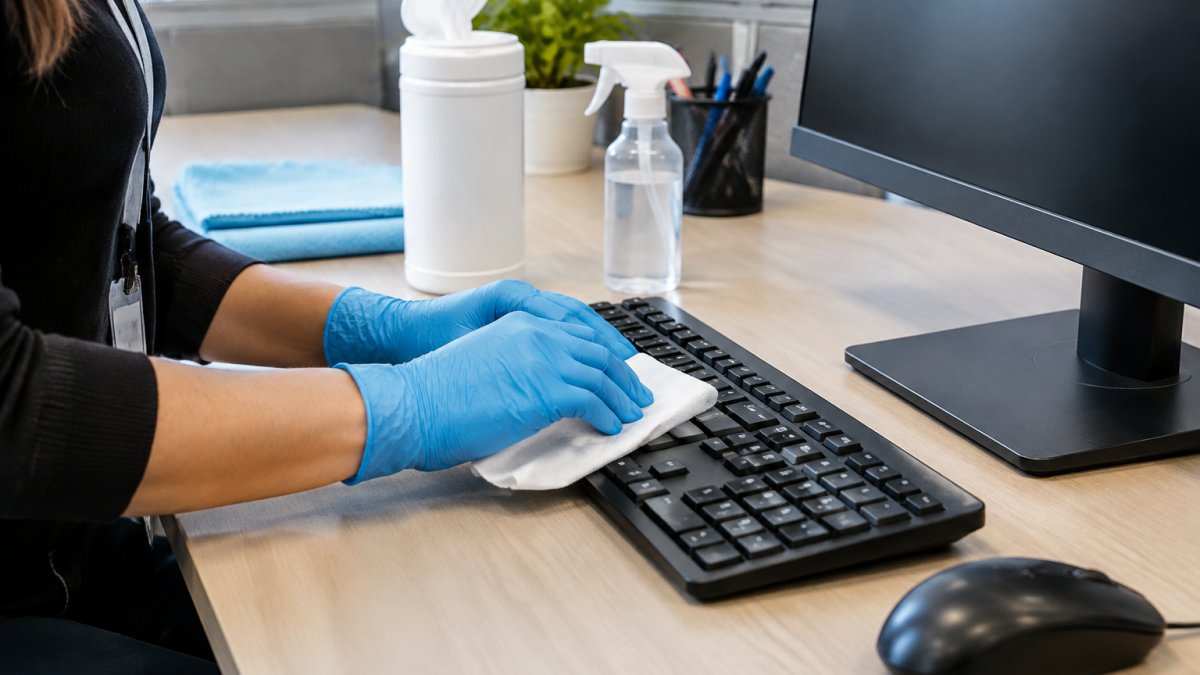
Before you touch any shared device, check the equipment maker's cleaning guidance. Most manufacturers publish a support page listing approved cleaners and materials to avoid. When guidance is silent, default to the gentlest method that still meets the product label's contact time.
Keyboards, Mice, and Peripherals
A computer keyboard and computer mouse collect more germs than almost anything else in a shared workstation. Start with the device unplugged or off. Turn the keyboard upside down and shake out crumbs. Then wipe each key with a disinfectant wipe or a cloth dampened with 70% alcohol. Don't soak it. Let it air dry fully before plugging it back in.
For a mouse, wipe the top and sides, then the scroll wheel. Use a cotton swab for the gaps. Disposable gloves protect your hands and keep you from spreading germs to the next device. For shared headsets, wipe the ear cushions and headband with an alcohol wipe and let them dry completely before the next user; avoid dripping liquid into the microphone boom or speaker openings.
Monitors, Touchscreens, and Displays
Monitors and touchscreens need a gentler touch. Never spray liquid directly on a screen. It can seep behind the glass and cause liquid ingress. Instead, dampen a microfiber cloth with a screen-safe cleaner or a light alcohol solution, then wipe gently. For a touchscreen, check the manufacturer instructions first. Some coatings don't tolerate alcohol.
Shared Phones, Printers, and Common Peripherals
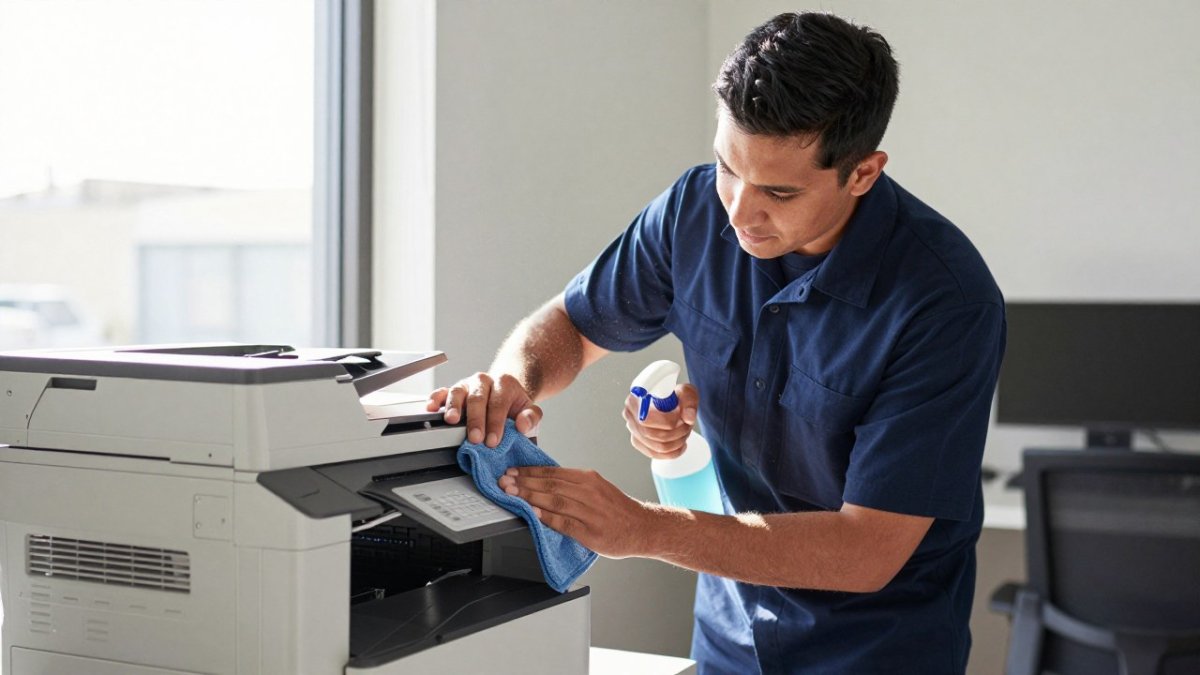
Shared phones get pressed against faces and hands all day, so wipe the handset, keypad, and screen with an alcohol wipe, avoiding the charging port and any open seams. For printers and copiers, focus on the touch panel, the paper tray handle, and the output tray lip rather than the internal mechanisms. Shared conference-room remotes, badge readers, and drawer handles are high-touch and easy to miss; add them to the same wipe-down pass.
Spraying cleaner directly onto a device, or using a dripping wipe, can push liquid into ports and vents.
Disinfectant Contact Time for Surfaces: Why Wet Time Matters
Contact time is the number of minutes a disinfectant must stay wet on a surface to kill germs. It's printed on the product label, and skipping it is the most common mistake we see. If a wipe dries in ten seconds, you cleaned the surface, but you didn't disinfect it.
So how do you hit the right wet time on a keyboard? Choose a product with a short contact time, apply it evenly, and let the surface stay visibly wet for the full period. Electrostatic disinfection explained covers how the technology achieves even coverage and proper contact time.
Your Shared Office Equipment Cleaning Checklist
A repeatable shared office equipment cleaning checklist beats good intentions every time. Post it at each shared workstation and in common areas. The goal is a protocol any employee or crew member can follow the same way every time, with clear ownership and a simple way to confirm it happened.
Before-Use and After-Use Protocol
Build the routine around two short passes: one before a user starts and one when they finish. This keeps shared devices clean between users without relying on a once-a-day deep clean.
Before use (about 30 seconds):
- Check that disinfectant wipes and hand sanitizer are stocked at the station
- Wipe the keyboard, mouse, and touchscreen if the previous user's session ended without a wipe
- Sanitize hands or use hand sanitizer before touching shared devices
After use (about 30 seconds):
- Wipe keyboard, mouse, and touchscreen with a disinfectant wipe and let the surface stay wet for the label's contact time
- Wipe shared phone handset and keypad if used
- Dispose of used wipes in a closed bin
- Sanitize hands after handling shared equipment
Frequency, Supplies, and Responsibilities
| Frequency | Task | Supplies | Owner |
|---|---|---|---|
| After each use | Wipe keyboard, mouse, touchscreen | Disinfectant wipes, gloves | Device user |
| Daily | Wipe desks, chairs, drawers, shared phones | Disinfectant spray, cloths | Floor lead or crew |
| Weekly | Deep clean peripherals, monitor edges, shared printers | 70% alcohol, swabs, microfiber | Facility team |
| Monthly | Review supply levels and staff training | Checklist audit | Facility manager |
Assign a named owner for each row. In hot-desk and coworking layouts, the device user handles the after-use pass, while the floor lead or janitorial crew handles daily and weekly tasks. For more on cleaning open-plan tech offices and coworking spaces, see our dedicated guide. Put wipes and sanitizer beside each shared device, not in a supply closet, because supplies that are out of sight go unused.
Measuring Whether the Program Is Working
Don't rely on vague claims that the office feels clean. Track a few simple measures: completion logs at each shared station, supply availability checks, and spot audits of whether the after-use wipe happened. Review the log weekly to catch gaps before they turn into complaints, and refresh training when adherence drops.
Watch out: a checklist that is posted but never reviewed becomes decoration; without a named owner and a weekly log review, shared-equipment cleaning quietly stops happening.
Office Disinfection Best Practices for Facility Teams
Strong office disinfection best practices come down to training, supplies, and consistency. Train staff on the difference between cleaning and disinfecting, and show them the product label so they know the contact time. Place disinfectant wipes and hand sanitizer right next to shared equipment. If supplies live in a closet, people won't use them.
Hand hygiene matters just as much. Encourage hand washing before and after equipment use, and keep hand sanitizer at every shared station. Skipping staff training on chemical safety can damage electronics and expose employees to harsh products.
How Do You Sanitize Shared Office Equipment Properly Across Multiple Sites?
Managing several buildings means one standard, applied everywhere. Write a single cleaning procedure for shared equipment, then train every crew and on-site team on it. Assign cleaning frequency by traffic: a hot-desk floor needs more frequent wipe-downs than a private office suite. Track completion with a simple daily log so you can spot gaps before they become complaints.
Get a Free Quote for Professional Shared Equipment Disinfection
Keeping shared devices clean takes discipline, and it's one more task on a facility team's list. That's where we come in. Rangel Janitorial brings more than 30 years of experience, fully bonded and insured crews, and specialized electrostatic disinfection that reaches the surfaces people touch most. We tailor cleaning plans for corporate offices, medical facilities, and multi-tenant buildings, and we aim to keep quality consistent across every property. Trusted by California businesses, our teams aim to do the job right. If you want the details, you can explore our electrostatic disinfection services and see what a tailored plan looks like for your facility. Get started with Rangel Janitorial and give your team a cleaner, healthier workplace.
Shared equipment cleaning only works when it happens every day, without exception. Rangel Janitorial can take that routine off your team's plate with trained crews, electrostatic disinfection for full coverage, and consistent quality across every location you manage. Get started with Rangel Janitorial and build a hygiene program your employees can count on.
Frequently Asked Questions
Can you use disinfectant wipes on keyboards and computer mice?
Yes, if the wipe is only lightly damp and the label lists the device's surface material as compatible. Wring out excess liquid first, then wipe the keyboard and mouse and let them air dry fully before use. Never spray cleaner directly onto a keyboard or mouse, because liquid can seep past the keys and into the housing. Check the manufacturer instructions for your specific model, and avoid wipes that contain bleach on printed keycaps.
How long should disinfectant stay wet on office equipment?
It depends on the product label. Disinfectant contact time for surfaces commonly ranges from about 30 seconds to several minutes, and the surface must stay visibly wet for the full time listed. If it dries early, reapply. This is why wiping a desk and immediately drying it does not disinfect it. Read the label on every product your team uses and build the wait time into the cleaning procedure so crews do not rush it.
What should you avoid when cleaning shared electronics?
Avoid spraying liquid directly on any device, using abrasive pads on screens, and applying bleach or ammonia solutions to touchscreens and printed keys. Skip alcohol on any screen with an anti-glare coating unless the manufacturer allows it. Also avoid cleaning a device while it is powered on and hot, and never let a wet surface sit under a laptop or monitor base. Unplug devices where the manufacturer recommends it before wiping.
How often should shared office equipment be cleaned and disinfected?
High-touch items like shared keyboards, mice, touchscreens, and desk surfaces should be wiped down at least once daily, and after each use in hot-desk or shift-shared setups. Shared meeting room equipment benefits from a wipe between bookings. Common areas such as break rooms and printer stations need at least daily attention. A written shared office equipment cleaning checklist with assigned frequencies keeps the schedule consistent across every floor and building.